Privacy-First Bookmarks
Your data. Your device. Your control.
A bookmark manager that respects your privacy. No accounts, no tracking, no cloud required. Your bookmarks stay on your device, synced your way.
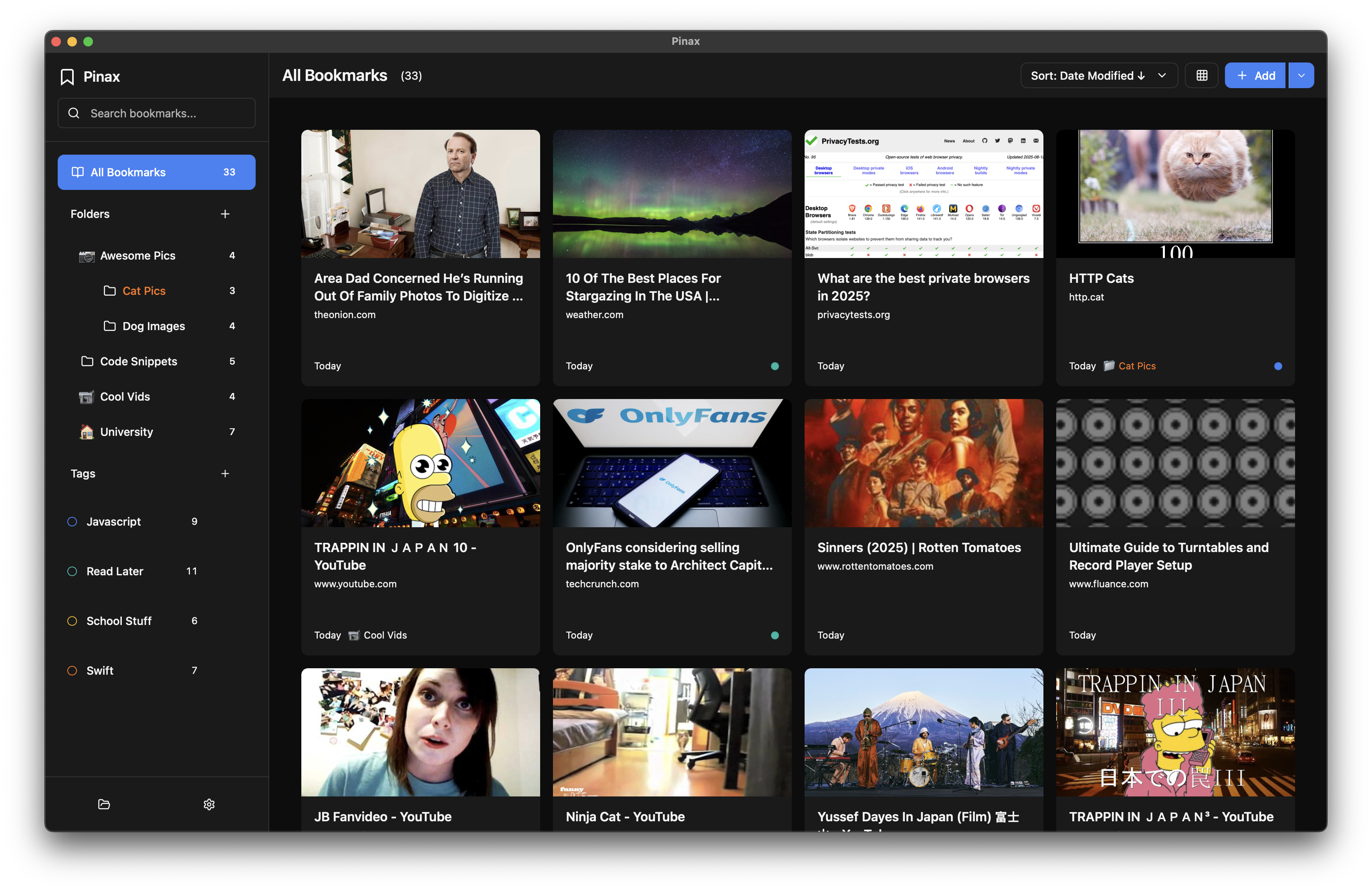
Built for Privacy & Control
Local-First Privacy
Your bookmarks never leave your device unless you choose to sync them. No accounts, no tracking, no data collection.
Sync Your Way
Use Dropbox, iCloud, Syncthing, or any file sync service. You're in control.
Powerful Search
Full-text search across titles, URLs, notes, and tags. Find anything instantly, even with thousands of bookmarks.
Smart Organization
Organize with folders and tags. Pin important bookmarks. Archive old ones. Your system, your rules.
Keyboard First
Navigate, search, and manage bookmarks without touching your mouse. Fully customizable shortcuts.
Cross-Platform
Native apps for macOS, Windows, and Linux. Web app coming soon. Same experience everywhere.
Everything You Need
A complete bookmark management solution built for power users
Core Management
- Create, edit, and delete bookmarks with rich metadata
- Automatic title and favicon fetching
- Pin important bookmarks for quick access
- Add descriptions and personal notes
- Archive bookmarks without deleting them
- Quick add modal for fast bookmark creation
- Visual OG image previews (opt-in, privacy-first)
Organization
- Unlimited folder nesting with colors and icons
- Flexible tagging system with color coding
- Drag and drop bookmarks between folders
- Bulk operations (move, tag, delete multiple items)
- Smart collections (All, Pinned, Archived, Uncategorized)
- Inline folder and tag renaming
Search & Discovery
- Real-time search across all bookmark fields
- Filter by folder, tag, or collection
- Combine search with filters for precision
- Search result highlighting with match positions
- Optimized for 10,000+ bookmarks
Import & Export
- Import from Chrome (HTML and JSON formats)
- Import from Firefox, Safari, and Edge
- Automatic browser file detection with profile support
- Import preview with folder structure
- Export to JSON (full fidelity)
- Export to HTML (universal browser compatibility)
- Selective export with filtering options
User Interface
- List and grid view modes
- Virtual scrolling for large datasets
- Resizable sidebar (200px-400px)
- Light, dark, and system theme modes
- Context menus for quick actions
- Toast notifications and loading indicators
Keyboard Shortcuts
- Platform-specific shortcuts (⌘ on macOS, Ctrl on Windows/Linux)
- Quick add bookmark (⌘/Ctrl+N)
- Search (⌘/Ctrl+F)
- New folder and tag shortcuts
- Import/Export shortcuts
- Select all, delete, open, edit, pin, archive
- Context-aware shortcuts (global, modal, list)
Privacy & Storage
- Local-first storage (no cloud required)
- Configurable storage location
- DIY sync support (Dropbox, iCloud, Syncthing, etc.)
- File watcher for external change detection
- Automatic backups before major operations
- No tracking or analytics
- Open data format (JSON)
Accessibility
- WCAG 2.1 AA contrast ratios
- Full keyboard navigation
- Screen reader support with ARIA attributes
- Focus indicators and management
- Semantic HTML structure
- Motion preference support (reduced motion)
Ready to take control of your bookmarks?
No account required. No tracking. No cloud (unless you want it).
Download Pinax